What changed in a run
The Changes tab on a run compares it against one baseline and tells you what moved: which tests newly started failing, which got fixed, and what landed between the two. It's the fastest way to answer "did my push break this, or was it already red?"
The baseline
Every section reads the same baseline, so the "new failures" count is computed once and used throughout. By default it's the last passing run on the same branch (see Branches); pick a different run from the selector to compare against it instead. The choice is deep-linkable as ?baseline=<runId>, so a link to a comparison reopens the same two runs.
What it shows
- New failures — passed in the baseline, failing here.
- Fixed — failed in the baseline, passing here.
- Still failing — failing in both.
- Newly flaky / passed on retry — passed here but needed a retry.
- Slower / faster — the ten largest duration changes each way.
- Commits since the baseline — the commit range, a copyable
git logcommand and, when the SCM host is known, a link to the commits. - Environment changes — the fields that differ, in This run / Baseline columns.
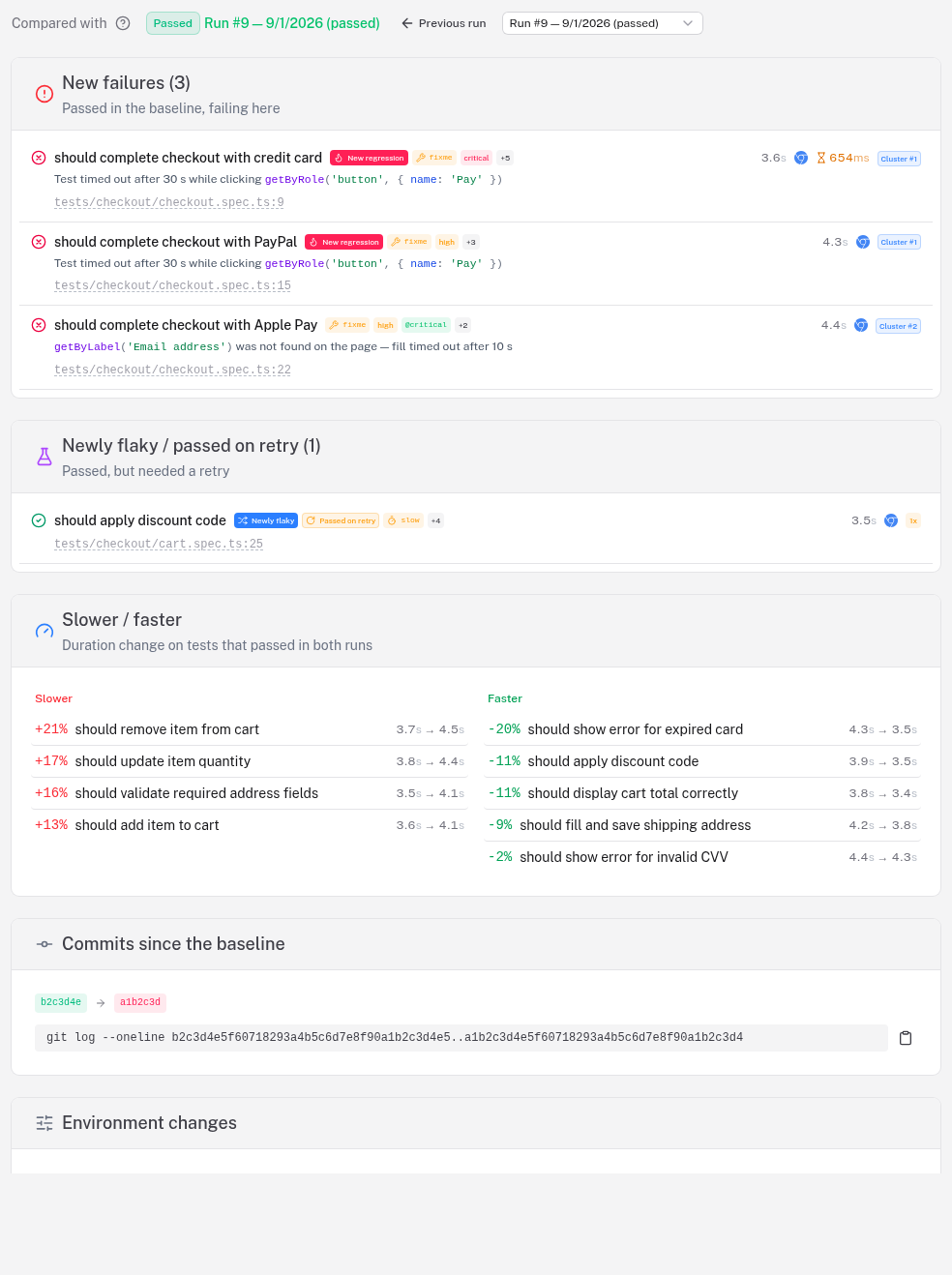
Comparing two runs is also how the run comparison works: select two runs on the project's Runs tab and the newer one opens on its Changes tab with the older as its baseline.
Related
- Branches — why the default baseline is the same-branch run
- Flaky tests — the per-project flaky, regression and spec-health signals
- Failure clusters & the inbox — the failures grouped by cause
- Timeline markers — annotate the trend charts with real-world events